Keep your ad creatives in the Creative Bank
Keep a list of your ad images, videos and copy, with each one's channel, status and click-through rate.
The Creative Bank is a list of your ad creatives: images, videos and pieces of copy. For each one you note its channel, its status and, if you know it, its click-through rate (CTR).
Who can do this
Owners, admins and members can add, edit and delete creatives. Viewers can see them but not change them. The demo workspace is read-only.
Steps
Add a creative
- Open Jebat and choose Creative Bank in the side menu.
- In the Creative library card, click Add creative.
- Fill in:
- Name (required, up to 120 characters).
- Type: Image, Video or Copy.
- Channel: WhatsApp, Facebook, Instagram or TikTok.
- Status: Draft, Active or Archived.
- Copy / notes (optional): the ad text or your notes, up to 2,000 characters.
- CTR % (optional): from 0 to 100.
- Click Save.
A new creative is not linked to any campaign. Each card shows Unlinked or Linked.
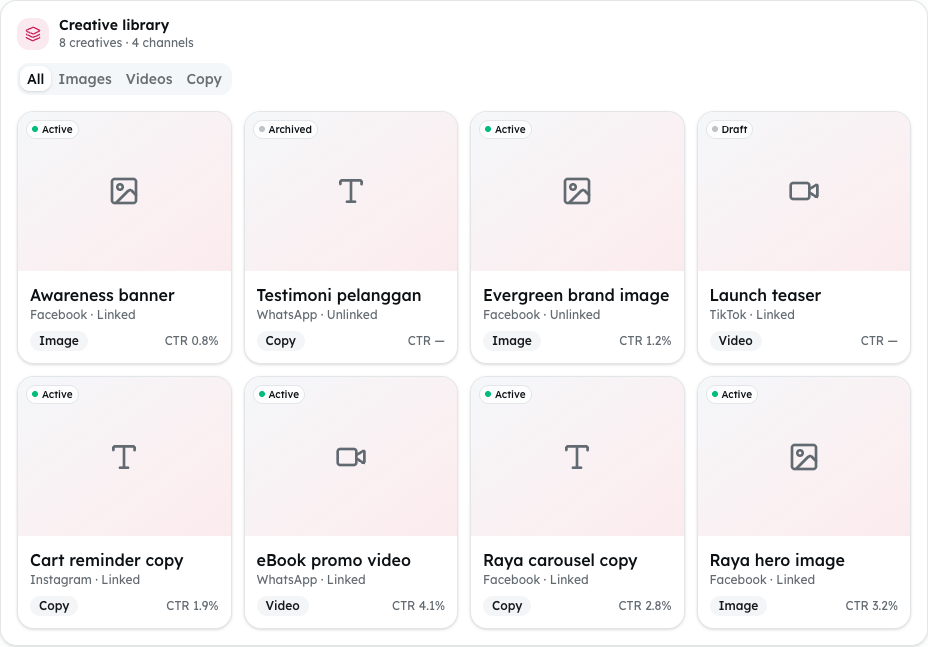
Shown from the sample workspace, where editing is switched off.
Find, edit or delete a creative
- Use the tabs All, Images, Videos and Copy to narrow the library.
- To change a creative, click Edit, change it, and click Save.
- To remove it, click Delete, then Confirm?. Click Cancel to keep it.
Read the figures
- Total creatives counts the whole bank.
- Avg CTR and Avg CTR by format use only the creatives that have a CTR.
- Best format is the type you have the most of.
- Top performing creatives lists your five highest CTRs.
Common problems
- "Upload" and "Generate with AI" do nothing. Uploading files and making creatives with AI are not built yet. Add creatives with Add creative.
- "Generated this month" and "Creatives produced" say "Not available yet". Only the demo shows sample figures in them.
- "Avg CTR" says "Not available yet". None of your creatives has a CTR yet. Add one with Edit.
- "That creative was not found." Someone else deleted it. Refresh the page.