Plugins
See what Kasturi is connected to, where each connection is set up, and what cannot be connected yet.
Plugins shows what Kasturi is connected to and where each connection is set up. It also lists what people often ask for that is not built yet.
Who can do this
Everyone in the workspace can open Plugins. Each connection is set up on the screen it links to, under that screen's own rules.
Steps
- Open Kasturi and choose Plugins.
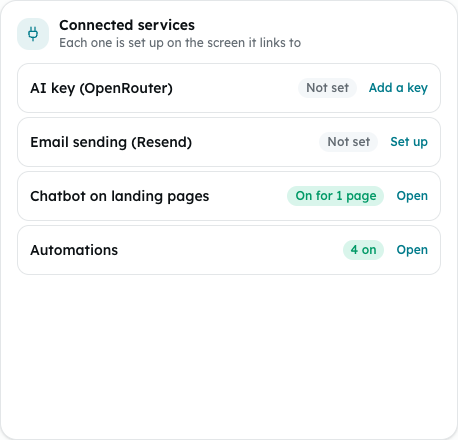
- Under Connected services, check each row:
- AI key (OpenRouter): Set or Not set. It links to the AI key page in your account.
- Email sending (Resend): the address broadcasts are sent from, or Not set. It links to Broadcast.
- Chatbot on landing pages: how many published pages show the chatbot, or Off. It links to AI Chatbot.
- Automations: how many automations are switched on, or None on. It links to Automations.
- Click the link on a row (Manage, Add a key, Set up or Open) to change that connection.
Not available yet
These are listed so you do not look for a switch that is not there. There is nothing to switch on for them today:
- WhatsApp, for the chatbot and for broadcasts.
- Instagram and Messenger, for the chatbot.
- Online payments, to collect on invoices.
- Calendar sync, to sync appointments both ways.
- Connecting other apps.
- LHDN MyInvois. Bendahara keeps the e-invoice details on each invoice, but nothing is sent to LHDN yet.
Common problems
- A row shows Unknown when its count could not be read. Reload the page.
- Couldn't load your connections — please refresh: reload the page.