Ask Tuah a question
Ask one assistant about your marketing, customers, hiring, team and finance from the Tuah page.
Tuah is your command centre. It answers questions about your whole business in one chat, using your workspace's own data.
Who can do this
Anyone signed in to a workspace can ask Tuah. It looks things up as you, so it only sees what your role lets you see. A viewer can look things up, and can ask for their own leave, claims, overtime and similar requests if their account is linked to an employee record. Other changes need a member, admin or owner.
In the demo, Tuah gives sample answers and nothing is saved.
Before you start
Without an OpenRouter key, each person gets 3 free questions a week. They come back every Monday at 8 am Malaysia time (midnight UTC). To chat without that limit, an owner or admin adds a key. See Add your OpenRouter key.
Steps
- Open Tuah: the compass icon at the top of the left rail, just under the OpenKuasa logo. Clicking the logo also opens it.
- Type your question in the box that says Ask anything….
- Press Enter to send. Press Shift and Enter together to start a new line instead.
- Wait for the answer. Three dots show while Tuah works.
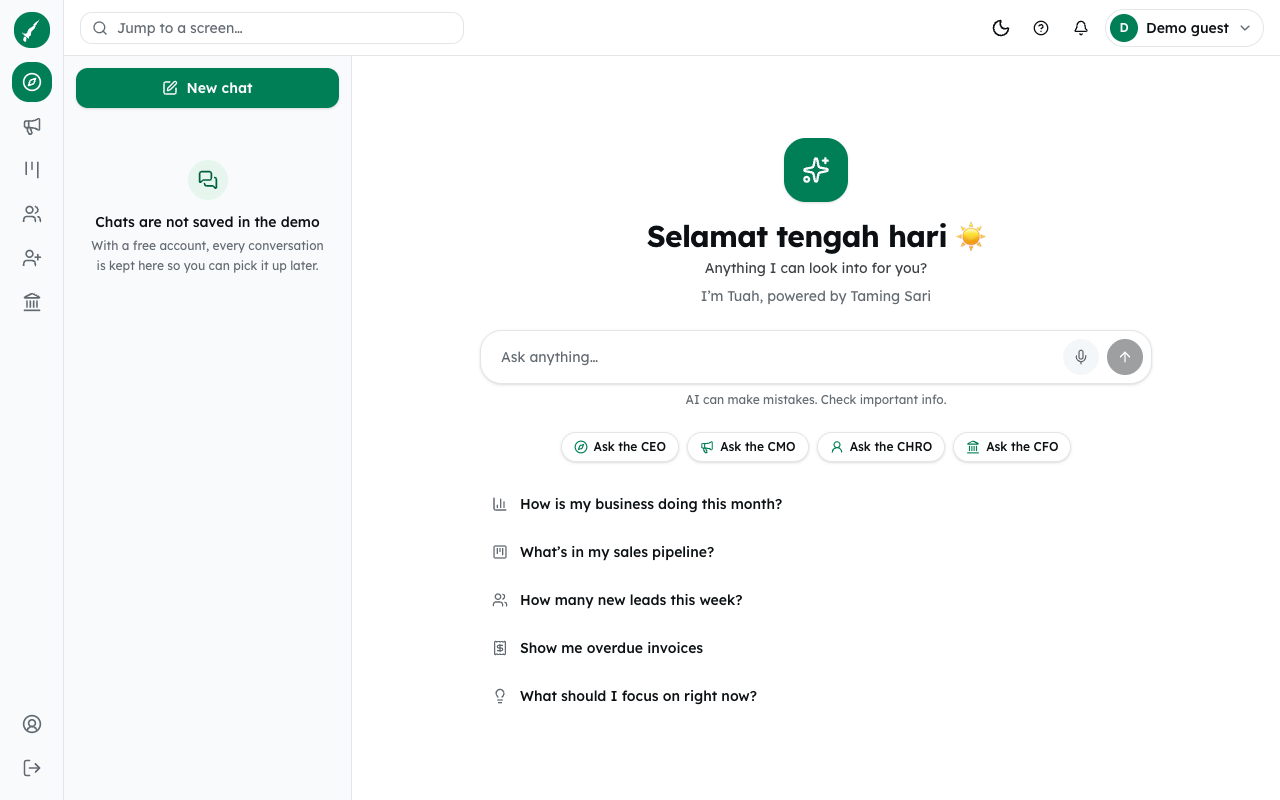
To get started faster, click one of the suggested questions under the box, such as How is my business doing this month?. Or click one of the buttons Ask the CEO, Ask the CMO, Ask the CHRO or Ask the CFO. Each one sends a ready question about the business, your ads, your team or overdue invoices.
Tuah can also explain how OpenKuasa works. Ask "How do I…" and it answers from these guides.
Tuah replies in the language you write in, English or Bahasa Malaysia. Under the box you will see AI can make mistakes. Check important info. Check figures before you act on them.
Common problems
- The box is greyed out and says "Add an OpenRouter key to keep chatting". Your free questions for the week are used up. An owner or admin can add a key, or you can wait for next week.
- "That question was not sent: you have reached today's chat limit." On a workspace key, each person has a daily limit. It resets at midnight UTC (8 am Malaysia time).
- "Tuah could not respond just now. Please try again." Something went wrong on the way. Ask again.
- "This question did not get an answer. Ask it again to try once more." The answer never arrived. Send the question again.