Send a broadcast
Write one email for a chosen group of contacts in Kasturi, send yourself a test, and send it.
A broadcast is one message written for a chosen group of contacts and sent by email. You pick the group by contact status and tags.
Who can do this
- Everyone in the workspace can see broadcasts.
- Owners, admins and members can write, edit and delete draft broadcasts. Viewers can only read.
- Only owners and admins can send a broadcast, send a test, or retry one.
Before you start
An owner or admin must set up email sending first. See Set up email sending.
Steps
Write a broadcast
- Open Kasturi and choose Broadcast.
- Click New broadcast.
- Type a Name. Only you see this.
- Type the Subject and the Message. The message is plain text.
- Choose who it is for:
- Under Status, tick the statuses to include. Tick none for every status.
- Under Tags, tick tags to include. Tick none to ignore tags; otherwise a contact needs at least one of them.
- Check the count and the list of people it will reach.
- Click Save broadcast.
Archived contacts, contacts with no email, and people who have unsubscribed are never included.
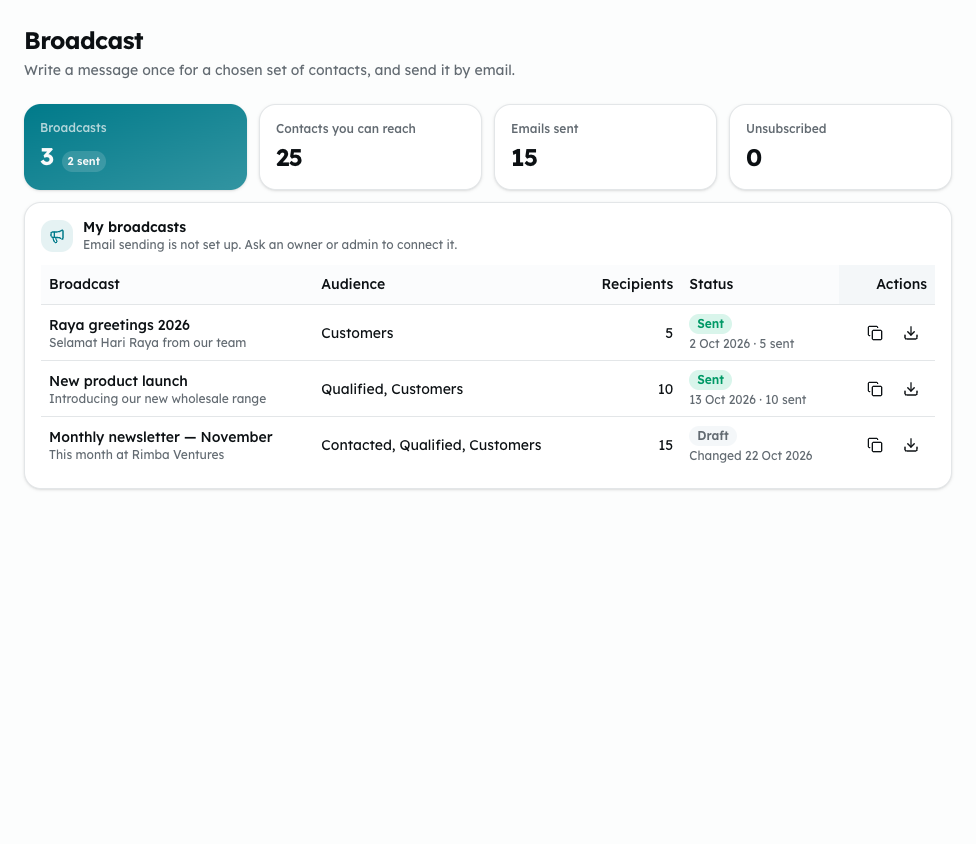
Shown from the sample workspace, where editing is switched off.
Send it
- Under My broadcasts, click the send button on the broadcast's row.
- Read the question. It says how many people it goes to and who it is sent as.
- To check it first, click Send a test to your address. The test goes to you only.
- Click Send to (the button shows the number of people).
- You see how many were sent, and how many could not be sent.
Each email carries an unsubscribe link. A send cannot be undone, and a sent broadcast cannot be edited or sent again.
Finish or retry a send
If a send was cut short, or some emails could not be sent, a retry button shows on the row.
- Click it.
- Click Finish sending or Retry failed.
People who already received it should not get it again. This works for 23 hours after the first attempt, and only while the email settings are unchanged.
Other things on the row
- Copy the message.
- Export the recipients as a file.
- Edit or delete a draft. A sent broadcast stays as a record.
Common problems
- Enter a name for the broadcast., Enter a subject. or Write the message.: fill in the field it names.
- Keep the message to 10,000 characters or fewer.: shorten the message.
- Choose at most 20 tags.: untick some tags.
- A broadcast can go to at most 500 recipients. Narrow the audience first.: choose fewer statuses or tags.
- This broadcast has been sent, so it can no longer be changed or deleted.: write a new broadcast instead.
- Add your Resend key and sender address in the email settings before sending.: set up email sending first.