Add and work with deals
Add deals to your pipeline in Kasturi, move them through the stages, and mark them won or lost.
Deals is your sales pipeline. Each deal belongs to a contact and sits in a stage on the board. You move it along until it is won or lost.
Who can do this
- Everyone in the workspace can see the deals, the figures and the Daily Report.
- Owners, admins and members can add, edit, move, lose, reopen and delete deals. Viewers can only read.
Before you start
- A deal needs a contact. Add the contact first on the Contacts screen.
- A new workspace gets a starting pipeline called Sales pipeline with the stages Lead, Qualified, Proposal, Negotiation and Won. It is set up the first time someone who can edit deals opens this screen.
Steps
Add a deal
- Open Kasturi and choose Deals.
- Click New Deal.
- Fill in Title and choose a Contact. Both are needed.
- Choose the Stage, and add Value (RM), Tag and Expected close date if you have them.
- Click Save deal. The form clears so you can add the next one. Click Close when you are done.
You become the owner of the deals you add. You can also start a deal from a contact: choose Create deal in the contact's ⋯ menu.
Shown from the sample workspace, where editing is switched off.
Move a deal
- Drag the deal's card to another stage on the Pipeline board.
- Or open the card's ⋯ menu, choose Move to, and pick the stage.
A deal moved into the stage called Won counts as won. Moving it out of Won makes it open again.
Mark a deal as lost, or reopen it
- Open the card's ⋯ menu and choose Mark as lost.
- Type a Reason (optional) if you want. If your workspace requires a reason, the field is called Reason and must be filled in.
- Click Mark as lost. The deal leaves the open deals and counts against the win rate.
- To bring it back, open the card's ⋯ menu and choose Reopen.
Edit or delete a deal
- Open the card's ⋯ menu and choose Edit. Change what you need and click Save changes.
- When you edit a deal, you can also tick the Bendahara Invoices that belong to it.
- To delete, choose Delete, then Delete deal. The deal's activities and notes are deleted too. This cannot be undone.
Find deals and read the figures
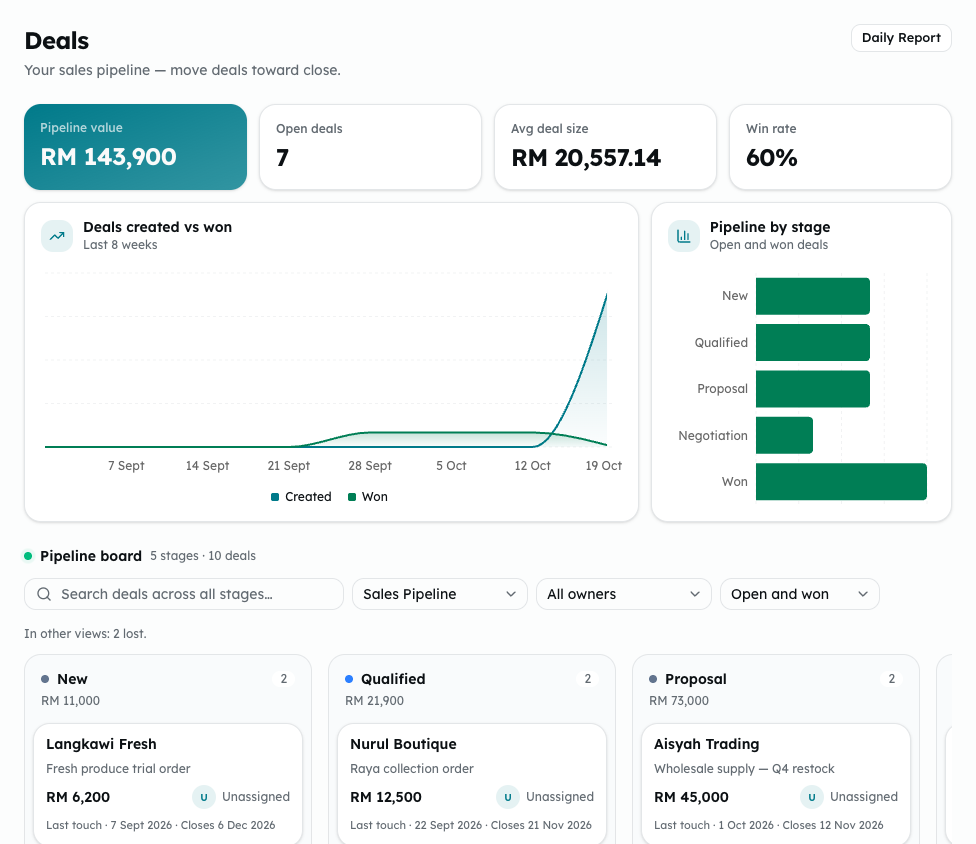
- Pick the pipeline, the owner (All owners or one person) and the view: Open and won, Open, Won, Lost or All deals.
- Search with Search deals across all stages….
- The figures at the top (Pipeline value, Open deals, Avg deal size, Win rate) are for the pipeline on show.
- Click Daily Report for today's figures: Created today, Won today, Open pipeline value and Closing in 7 days.
Common problems
- Enter a title for the deal., Choose a contact. or Choose a stage.: fill in the field it names.
- Enter the value as a number of ringgit, such as 18000.: type numbers only, with up to two decimal places.
- Keep the title to 200 characters or fewer. or Keep the reason to 200 characters or fewer.: shorten the text.
- Enter a valid expected close date.: pick a real date.
- This workspace requires a reason to mark a deal lost. Enter one and try again.: your workspace has turned on the lost-reason rule in Settings. Type a reason.
- Could not move the deal. Please try again.: the card goes back. Try the move again.
- This pipeline has no stages yet, so it cannot hold deals.: add stages under Manage pipelines.
- The board and its figures cover your 500 most recent deals.